
Self-hosted analytics: How to track 53% more views
Last month, I released a new project, designed to teach players how to learn grenade lineups in the video game Counter-Strike 2. It had a successful launch, with over 600,000 page views in its first month.
During development, I enabled Cloudflare Web Analytics on the domain, since I was already using Cloudflare Pages for static web hosting. This was a simple solution for tracking visits, page views, and some performance metrics. Cloudflare Web Analytics doesn’t require cookies (no popups!) and is designed to respect users’ privacy, unlike Google Analytics.
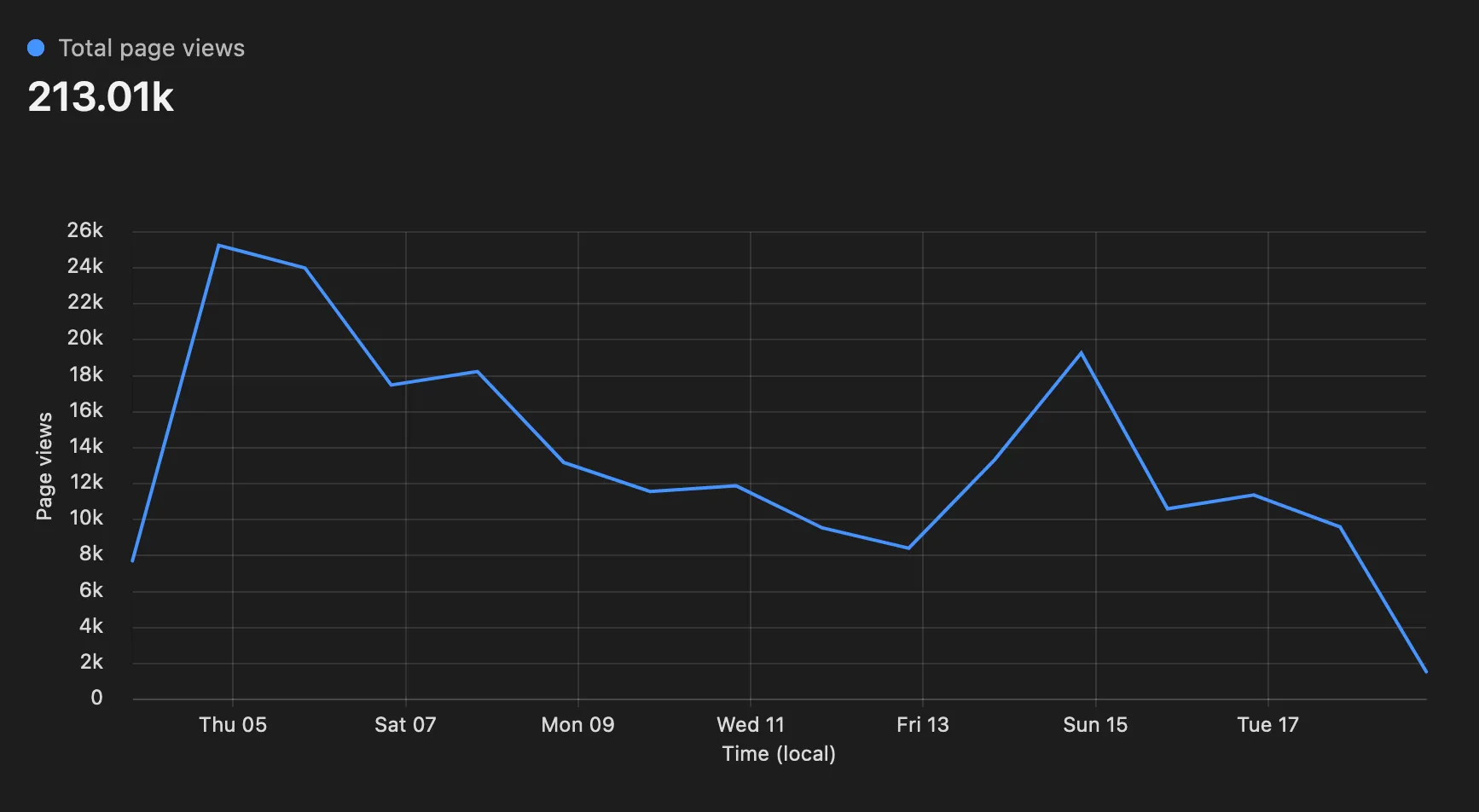
As you can see, the launch went pretty well! These stats are from a few weeks after launch, and good growth in page views can still be seen.
However, when I visited the site with a tracker or ad blocker enabled, I noticed the Cloudflare analytics script being blocked. This meant that many of my users were also blocking the script, and lots of page views weren’t being tracked.

To fix this, I decided to set up Plausible, another privacy-friendly analytics solution. Since it’s open-source, I self-hosted it instead of subscribing to their cloud offering (this is a side-project, my budget is tight, and the hosted option would have cost $69/month). I wasn’t too worried about bypassing users’ tracking blockers since Plausible doesn’t record any PII — it only tracks page path, browser, country, and visit duration.
After setting up the script and waiting some time, I compared the results for the same period:
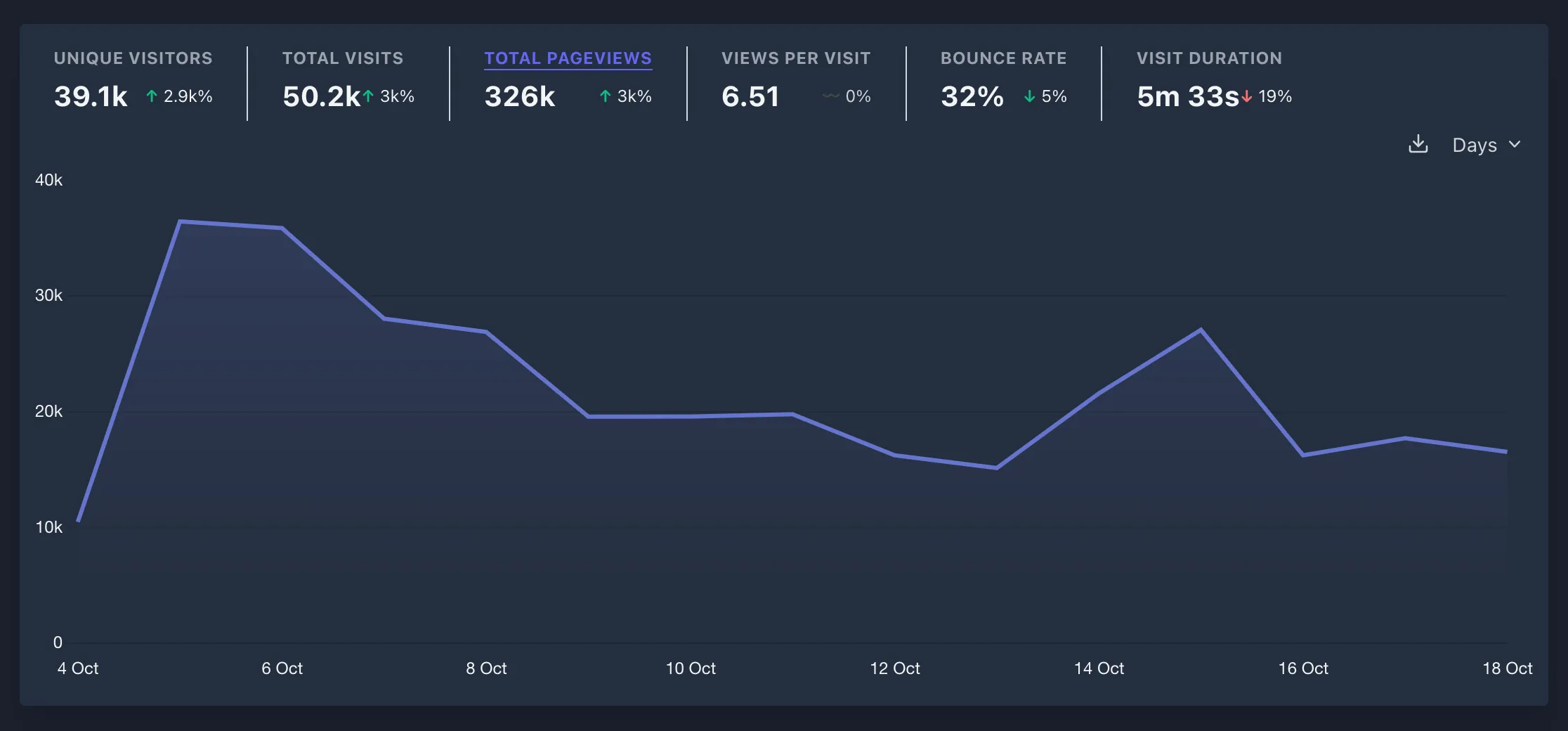
53% more page views over a 3-week period! That’s a significant enough difference to affect any data-driven decisions based on the non-self-hosted option (Cloudflare in this case, but this would also apply to Google Analytics).

Who am I?
Hello! My name is Cretezy and I am a software developer. I write about programming, personal projects, and more.
See more posts here.